

 Laravel

Updated June 2026. Tested on Redis 7. The closing post in the Redis series that begins with Introduction to Redis with Laravel.
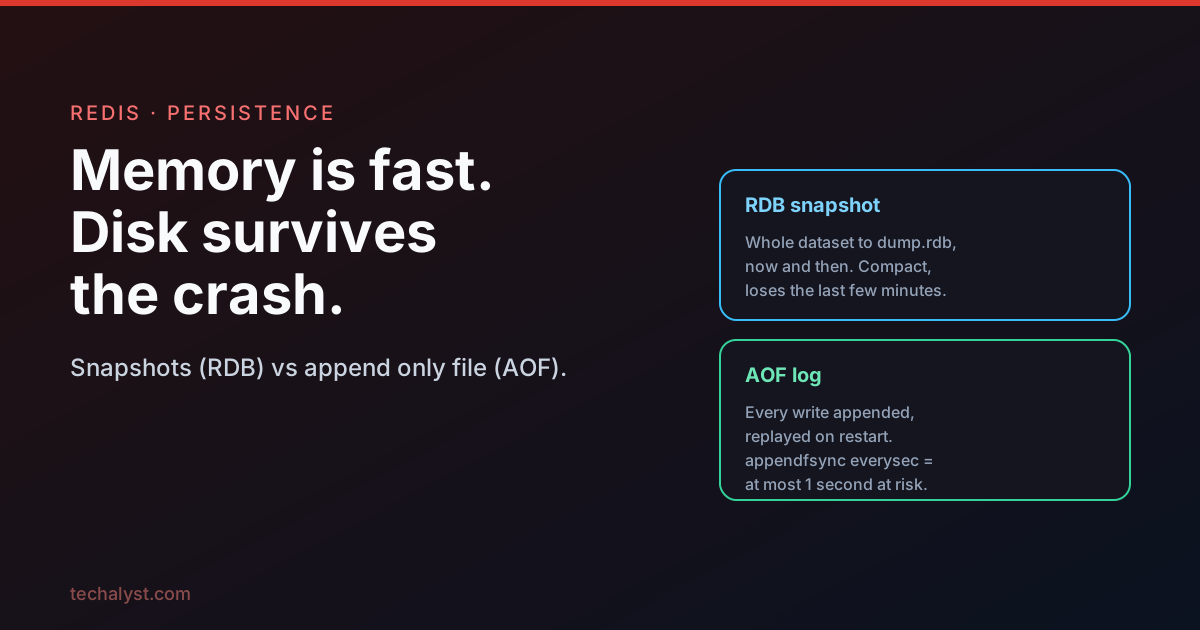
Redis keeps your data in memory, which is exactly why it is fast and also why a crash can wipe everything in an instant. For some uses that is fine: a cache rebuilds itself, throwaway counters do not matter. For others, losing the data on restart is unacceptable. Redis gives you two ways to write data to disk so it survives a restart, and you can use either, both, or neither.
Snapshotting (RDB)
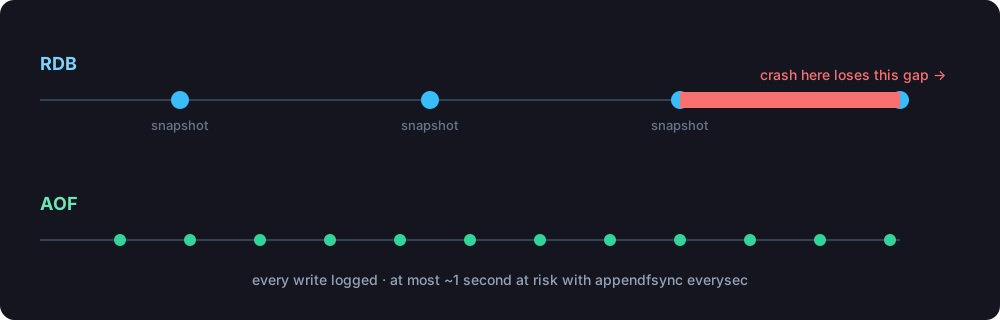
Snapshotting saves a complete copy of your dataset to a single dump.rdb file at intervals. By default Redis triggers a snapshot based on how much has changed, more changes mean more frequent saves. A typical configuration takes a snapshot more often when many keys change and less often when little is happening.
# redis.conf, "save <seconds> <changes>"
save 900 1       # after 15 min if at least 1 key changed
save 300 100     # after 5 min if at least 100 keys changed
save 60 10000    # after 1 min if at least 10000 keys changed
If Redis cannot write a snapshot, it stops accepting writes and surfaces an error, so a broken backup cannot go unnoticed. You can also trigger one yourself: SAVE runs it immediately and blocks, while BGSAVE forks a background process so Redis keeps serving. For off site safety, ship the dump.rdb to somewhere like Amazon S3 on a schedule.
The trade off with RDB is the window. Because it snapshots periodically, a crash can lose everything written since the last snapshot, anything from a few seconds to several minutes depending on your save rules. In exchange you get a compact single file that is fast to load and ideal as a backup.
Append-only file (AOF)
The append only file works the opposite way. Instead of snapshots, every write command is appended to a log, and on restart Redis replays that log to rebuild the exact dataset.
Logging every command means the file grows without bound, so Redis rewrites it periodically to keep it compact: rather than storing the whole history of a key, the rewrite collapses it to the key's current state.
# instead of replaying
INCR counter
INCR counter
INCR counter

# the rewrite stores
SET counter 3
You control how often that rewrite happens, based on the file size and how much it has grown since the last rewrite.
The subtle part is when the data actually reaches the disk. When Redis appends a command, the operating system usually buffers it in memory and flushes to disk every so often, so a crash with commands still in the buffer would lose them. The appendfsync setting governs this.
appendfsync everysec(the default): flush once a second. At most one second of data is at risk, with good performance. This is the sweet spot for most apps.appendfsync always: flush on every single command. Nothing is lost, but each write waits for the disk, so it is much slower. Safest, rarely worth it.appendfsync no: leave it to the operating system. Fastest, least safe.
What happens on restart
When Redis starts back up, it loads your data from whatever persistence files exist and puts it back in memory. If both RDB and AOF are enabled, Redis uses the AOF file, because it is guaranteed to hold the most recent writes.
Which should you use
It comes down to how much data loss you can tolerate.
- Snapshotting only: simplest, with a compact backup file, but you accept losing the minutes since the last snapshot. Good for caches and data you could regenerate.
- AOF only: far stronger durability. With
everysecyou risk at most a second, withalwayseffectively nothing. Use it when the data genuinely must survive. - Both: a common production choice. AOF gives you minimal loss on restart, and the periodic RDB snapshot gives you a clean, portable file to copy off for backups.
By default Redis ships with snapshotting on. If your data matters beyond a cache, turn on AOF and pick an appendfsync that matches your tolerance for loss.
Wrapping up
In memory speed is Redis's whole appeal, and persistence is how you keep that speed without gambling your data on the server staying up. RDB snapshots give you cheap periodic backups with a loss window; the AOF logs every write for near zero loss at some cost to throughput. Many teams run both: AOF for durability, RDB for tidy off site backups.
That closes the Redis series. Start over at the introduction, or revisit hashes and string commands. Questions about Redis persistence? Ask in the comments.


All comments ()
No comments yet
Be the first to leave a comment on this post.