

 Laravel

Updated June 2026. Tested on Laravel 13, PHP 8.4 and Redis 7. Part of the Redis series that starts with Introduction to Redis with Laravel.
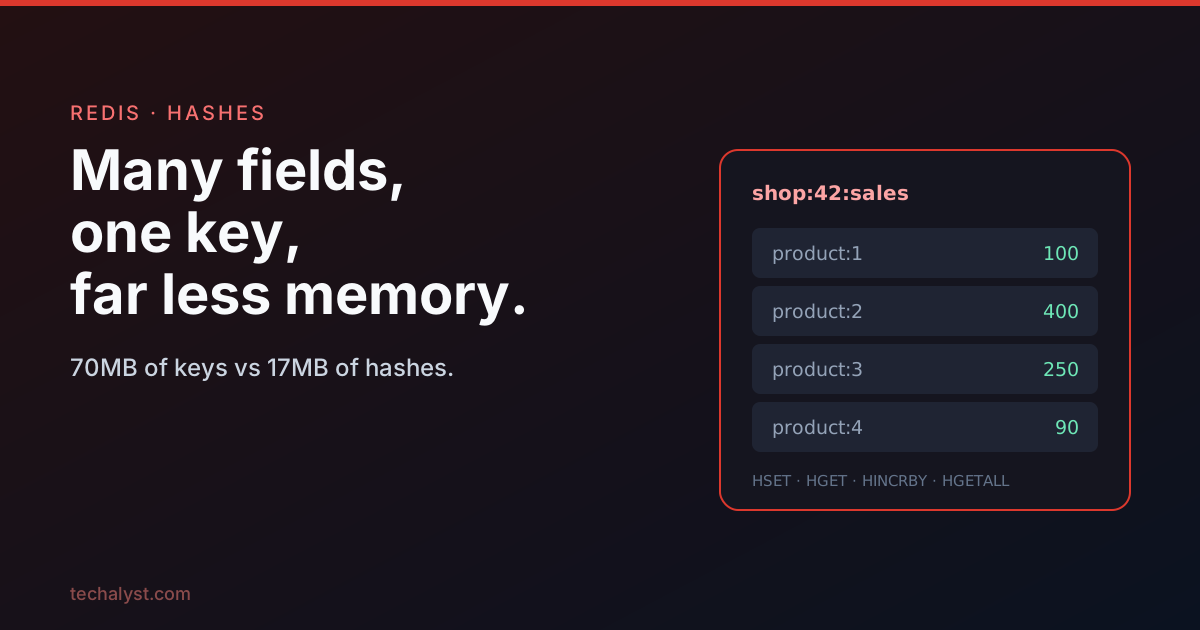
When you find yourself making lots of keys that share a prefix, like shop:42:product:1:sales, shop:42:product:2:sales, and so on, that is Redis nudging you towards a hash. A hash is a single key that holds a set of named fields, each with its own value. It groups related data under one roof, and it is dramatically lighter on memory.
The problem with many keys
Recording per product sales for a multi tenant shop using plain strings means one key per product per shop.
Redis::mget("shop:{$shopId}:product:1", "shop:{$shopId}:product:2" /* ... */);
It works, but every one of those keys is a full Redis object carrying overhead well beyond the value itself. The Instagram engineering team famously measured this: a million plain string keys cost them around 70MB, while a thousand hashes of a thousand fields each used only about 17MB. The reason is that a key is a heavyweight object (it tracks encoding, reference counts, idle time, expiry and more), whereas a hash field stores little more than the value. Fewer keys holding more fields is simply cheaper.
Building and reading a hash
Set fields with hset, which in modern Redis takes any number of field and value pairs at once.
Redis::hset("shop:{$shopId}:sales", 'product:1', 100, 'product:2', 400);
(You may see hmset in older articles. It still works but has been deprecated since Redis 4.0 in favour of hset accepting multiple pairs, so prefer hset.)
Reading offers a command for every shape you might want.
Redis::hget("shop:{$shopId}:sales", 'product:1');                  // one value: "100"
Redis::hmget("shop:{$shopId}:sales", 'product:1', 'product:2');    // ["100", "400"]
Redis::hvals("shop:{$shopId}:sales");                              // all values: ["100", "400"]
Redis::hgetall("shop:{$shopId}:sales");                            // fields + values
hgetall returns both the field names and values, which Laravel hands back as an associative array.
['product:1' => '100', 'product:2' => '400']
Beyond tidiness, this stops you polluting the keyspace with dozens of awkwardly named keys: one key, many fields.
Operating on fields
Hashes support the same kind of operations you expect from strings, scoped to a field.
Increment and decrement a field's number. As with strings, there is no decrement command, you pass a negative.
Redis::hincrby("shop:{$shopId}:sales", 'product:1', 18);
Redis::hincrbyfloat("shop:{$shopId}:sales", 'product:1', 18.9);
Redis::hincrby("shop:{$shopId}:sales", 'product:1', -5); // subtract
Check whether a field exists, and set one only if it does not already exist.
Redis::hexists("shop:{$shopId}:sales", 'product:1');             // 1 or 0
Redis::hsetnx("shop:{$shopId}:sales", 'product:1', 100);         // only if absent
Delete fields, and measure the length of a field's value.
Redis::hdel("shop:{$shopId}:sales", 'product:1', 'product:2');
Redis::hstrlen("shop:{$shopId}:sales", 'product:1');            // length of "100" = 3
The memory saving, and its one historical catch
The efficiency comes from encoding. When a hash is small, Redis stores it as a compact, length prefixed blob rather than a full structure, something like:
[6]field1[4]val1[6]field2[4]val2
This kicks in automatically below configurable thresholds. The default is roughly 128 fields and field values under 64 bytes, controlled by two config values. Note the names changed: modern Redis (7.0+) uses the listpack encoding, so the settings are hash-max-listpack-entries and hash-max-listpack-value. Older Redis called them hash-max-ziplist-*, and very old versions hash-max-zipmap-*.
Redis::config('set', 'hash-max-listpack-entries', 1000);
Redis::config('set', 'hash-max-listpack-value', 128);
Push a hash past those limits and Redis switches to a full hash table, trading memory for speed. It is a CPU versus memory dial you can tune.
The historical catch was expiry. For years a hash field could not have its own TTL, only the whole key could. The classic workaround was to store a companion field with the expiry timestamp and check it yourself.
Redis::hset('hashKey', 'field1', 'value', 'field1_expires_at', '1495786559');
// then read both and compare to now() in your code
The good news: as of Redis 7.4 that workaround is no longer needed. Per field TTL is built in via HEXPIRE, HPEXPIRE, HEXPIREAT and friends, with HTTL to read the remaining time, mirroring the key level expire and ttl commands but for individual fields. If you are on Redis 7.4 or newer, expire fields natively; if you are stuck on an older server, the companion field trick still works.
When to use a hash
Reach for a hash whenever a set of values naturally belongs together under one identity: a user's profile fields, per product counters for a shop, a cache of an object's attributes. You get a cleaner keyspace, far less memory, and the same atomic per field operations you would expect. Plain strings are still right for a single standalone value or the fixed width buffer trick from the string manipulation post; hashes are right the moment a value gains named parts.
Back to the Redis introduction, or on to persisting Redis data on disk. Questions welcome below.


All comments ()
No comments yet
Be the first to leave a comment on this post.