

 Laravel

Updated June 2026. Tested on Laravel 13, PHP 8.4 and Redis 7. Examples use Laravel's
Redisfacade. If you have not set Redis up yet, start with Installing and Configuring Redis for Laravel.
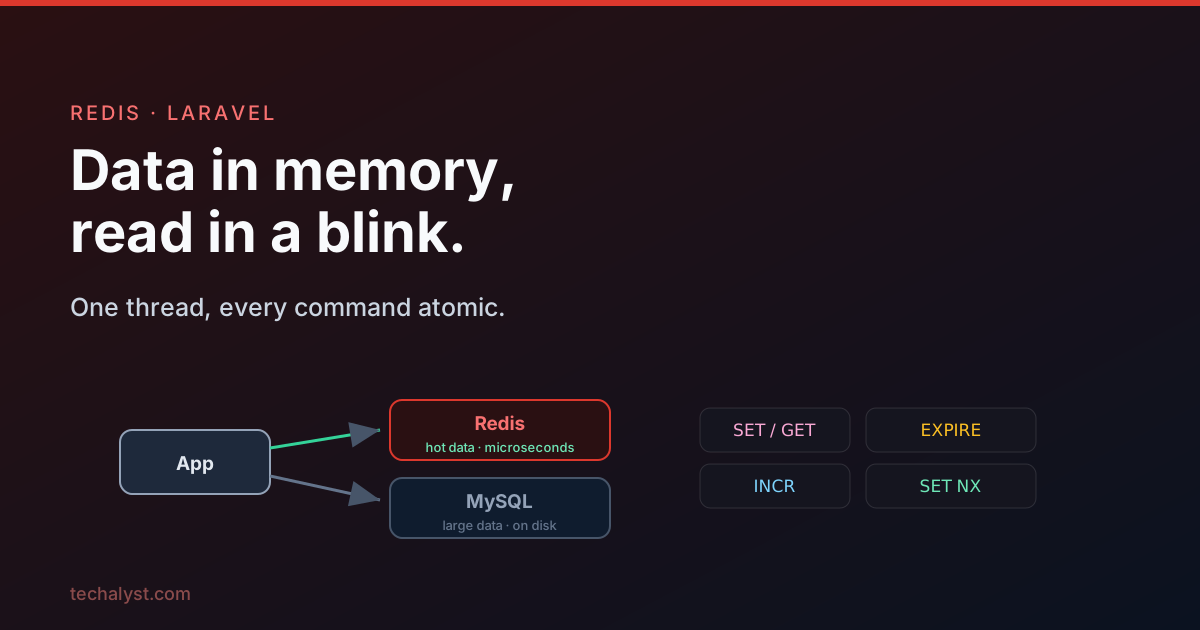
Redis is a storage server that keeps your data in memory, which makes reading and writing extremely fast. It can also save that data to disk now and then, replicate to secondary nodes, and split data across many nodes. That speed is the whole point: when you need to get at a value quickly, memory beats a disk backed database every time.
The trade off is that memory is smaller and more expensive than disk. So Redis is not a replacement for your main database, it is a fast layer beside it. You keep your large, cold data in MySQL or Postgres, and you put the hot, frequently touched numbers in Redis. Together they let you store a lot and still read the important bits instantly.
When Redis earns its place
Anything that needs fast access is a candidate: caching, live analytics, queues, rate limiting, session storage. Two concrete examples make it click.
A live sales dashboard. Imagine a point of sale app for restaurants, and the owner wants a dashboard of product sales that refreshes every minute. The honest version is a heavy SQL aggregate.
select sum(order_products.price), products.name
from order_products
join products on order_products.product_id = products.id
where date(order_products.created_at) = curdate()
  and order_products.status = 'done'
group by products.name
Running that every sixty seconds on a busy restaurant is wasteful. Instead, bump a counter in Redis each time an order is served, and read those numbers for the dashboard.
use Illuminate\Support\Facades\Redis;

// when an order completes
foreach ($order->products as $product) {
    Redis::incrby("product:{$product->id}:sales:2026-06-07", $product->sales);
}

// when the dashboard refreshes
$sales = Product::all()->mapWithKeys(fn ($product) => [
    $product->name => Redis::get("product:{$product->id}:sales:2026-06-07"),
]);
The numbers now live in memory and read back instantly, with no expensive query in the hot path.
Unique visitors per day. Rather than inserting a row on every visit and counting distinct user ids later, you let Redis track uniqueness for you (its set type is built for exactly this), and read the count when you need it. Same idea: keep the fast moving tally in memory, off your main database.
Single threaded, and why that is a feature
Redis runs as a single process and does one operation at a time. That sounds like a limitation, but it is what makes every individual command atomic: nothing else can change a value midway through a command. Take this one.
$monthSales = Redis::getset('monthSales', 0);
This reads monthSales and resets it to zero in a single atomic step. No other client can sneak in between the get and the set to change or rename the key. One process, serving everyone, one operation at a time.
The catch is that atomicity only covers a single command. If you run several commands that depend on each other, another client can act between them.
Client 1: increment value
Client 2: increment value   <- slips in here
Client 1: read value        <- now reads an unexpected number
When a group of commands has to be atomic together, you need a transaction. That is a topic of its own, but keep the distinction in mind: one command is always atomic, several are not unless you wrap them.
Strings and counters
The string is the basic Redis value. Set and read it plainly.
Redis::set('product:1:sales', 1000);
Redis::set('product:1:count', 10);

Redis::get('product:1:sales'); // "1000"
Because counters are so common, Redis has atomic increment and decrement built in, so you never read, add in PHP, and write back.
Redis::incrby('product:1:sales', 100); // add 100
Redis::incr('product:1:count');        // add 1

Redis::decrby('product:1:sales', 100); // subtract 100
Redis::decr('product:1:count');        // subtract 1
For floats there is a dedicated command. There is no decrbyfloat, so pass a negative value to subtract.
Redis::incrbyfloat('product:1:sales', 15.5);
Redis::incrbyfloat('product:1:sales', -30.2); // subtract
All of these return the value after the change, which is handy. And getset reads the current value while resetting it in one atomic move, perfect for an end of day rollover.
$today = Redis::getset('product:1:sales', 0); // read 1000, key is now 0
Expiring keys
A lot of Redis usage is temporary by nature, so keys can be told to expire. You can set the lifetime as you create the key.
Redis::set('user:1:notified', 1, 'EX', 3600); // expires in 3600 seconds
Redis::set('user:1:notified', 1, 'PX', 60000); // or in milliseconds
This is the basis of a simple "do this at most once an hour" guard.
if (Redis::get('user:1:notified')) {
    return; // already notified within the last hour
}

Redis::set('user:1:notified', 1, 'EX', 3600);
LowStockNotification::send();
You can also set expiry on an existing key, or expire it at an exact moment with a Unix timestamp.
Redis::expire('user:1:notified', 3600);   // seconds from now
Redis::pexpire('user:1:notified', 3600);  // milliseconds from now
Redis::expireat('user:1:notified', 1495469730); // at this timestamp
To inspect or cancel expiry, ttl tells you the seconds left (pttl for milliseconds), and persist removes the expiry entirely.
Redis::ttl('user:1:notified'); // seconds left, -2 if missing, -1 if no expiry
Redis::persist('user:1:notified'); // make it permanent again
That ttl return is worth remembering: -2 means the key does not exist, -1 means it exists but has no expiry set.
Set only if it exists, or only if it does not
Sometimes the whole point is the condition. Say there is one conference ticket left and you must close sales the moment it is taken. NX sets the key only if it does not already exist.
Redis::set('ticket:sold', $user->id, 'NX');
The first caller sets it; everyone after gets null back, telling them the key was already there and the ticket is gone. The mirror image is XX, which sets only if the key already exists. And to simply ask whether a key is there, use exists.
Redis::set('ticket:sold', $user->id, 'XX'); // only if it already exists
Redis::exists('ticket:sold');               // 1 or 0
Reading and tidying many keys at once
Pulling keys one at a time means a separate round trip to the server for each, and that network time adds up. mget fetches many in a single trip, returning null for any missing key, and because the whole read is atomic the values are a consistent snapshot.
Redis::mget('product:1:sales', 'product:2:sales', 'missing'); // ["1000", "400", null]
You can delete several keys in one go too, and rename keys.
Redis::del('previous:sales', 'previous:return');
Redis::rename('current:sales', 'previous:sales'); // overwrites target if it exists
rename overwrites the destination if it already exists. To avoid clobbering it, renamenx only renames when the destination is free, returning 0 and doing nothing otherwise.
Redis::renamenx('current:sales', 'previous:sales'); // only if previous:sales is free
Where to go next
That is the core: a fast in memory store, single threaded so every command is atomic, with strings, counters, expiry, and conditional sets covering a surprising amount of real work. From here the series digs into the richer types and the durability story:
- String Manipulation Commands in Redis: treat a string as a buffer with append, getrange and setrange.
- Introduction to Redis Hashes: group related fields under one key, and save a lot of memory.
- Persisting Redis Data on Disk: snapshots, the append only file, and surviving a restart.
Questions about using Redis from Laravel? Leave them in the comments.


All comments ()
No comments yet
Be the first to leave a comment on this post.