

 Laravel

Updated June 2026. Tested on Laravel 13 and PHP 8.4. Rendering used to be customised in
App\Exceptions\Handler. Since Laravel 11 it lives in thewithExceptions()closure inbootstrap/app.php. If you have not read the overview, begin with Introduction to Exception Handling in Laravel.
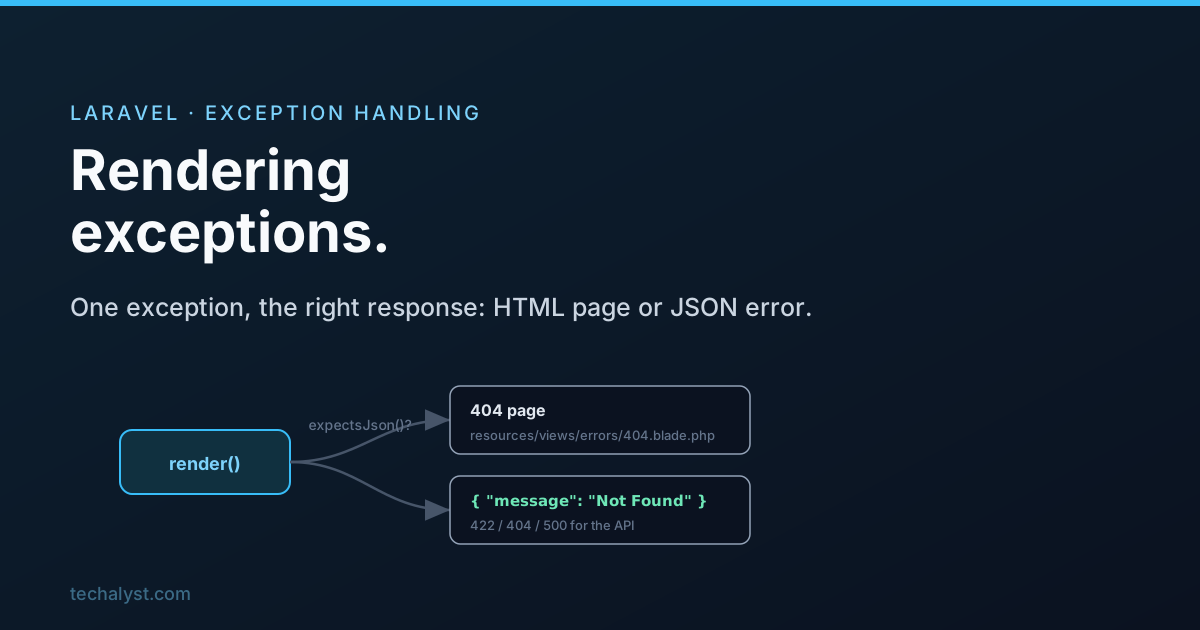
Rendering is the half of exception handling the user does see. Once an exception has been reported, Laravel has to turn it into an actual response: an HTML page in a browser, or a JSON body for an API client. There is a clear sequence of decisions behind that, and once you know the steps you can slot your own behaviour in at exactly the right point.
First chance: the exception renders itself
Before anything else, Laravel checks whether the exception has a render() method. If it does, it just uses whatever that method returns, the same way a controller action returns a response. This is the cleanest way to give a specific exception its own response.
class PaymentDeclinedException extends Exception
{
    public function render(Request $request): Response
    {
        return response()->view('errors.payment', ['reason' => $this->getMessage()], 402);
    }
}
If the exception has no render() method, Laravel moves on to its built in handling.
Converting exceptions to HTTP exceptions
A lot of common exceptions are really just HTTP statuses in disguise, so Laravel normalises them first. A missing model is a 404, an authorization failure is a 403, a stale CSRF token is a 419, and so on.
// Roughly what Laravel does internally
if ($e instanceof ModelNotFoundException) {
    $e = new NotFoundHttpException($e->getMessage(), $e);
} elseif ($e instanceof AuthorizationException) {
    $e = new HttpException(403, $e->getMessage());
} elseif ($e instanceof TokenMismatchException) {
    $e = new HttpException(419, $e->getMessage());
}
One special case skips all of this: Illuminate\Http\Exceptions\HttpResponseException already carries a full response inside it, so Laravel simply returns that response untouched. This is how helpers that throw a ready made response work.
Authentication and validation get special treatment
Two exceptions are common enough that Laravel renders them in a particular way.
Authentication. When an AuthenticationException is thrown, an unauthenticated visitor is redirected to the login page if they wanted HTML, or gets a clean 401 JSON body if they wanted JSON.
{ "message": "Unauthenticated." }
Validation. A ValidationException from a failed form sends the user back to the previous page with the old input and an error bag, which is why the $errors variable is always available in your views.
@if ($errors->any())
    <div class="alert alert-danger">
        <ul>
            @foreach ($errors->all() as $error)
                <li>{{ $error }}</li>
            @endforeach
        </ul>
    </div>
@endif
For an API client expecting JSON, the same validation failure comes back as a 422 with the field errors laid out.
{
  "message": "The given data was invalid.",
  "errors": {
    "name": [
      "The name field is required."
    ]
  }
}
HTML or JSON: how Laravel decides
For every other exception, Laravel has to pick a format. It works this out with the request's expectsJson() method, which looks at a few signals:
- an
X-Requested-With: XMLHttpRequestheader, set by most JavaScript HTTP clients, suggests an Ajax request and leans towards JSON - an
X-PJAXheader forces HTML, since PJAX swaps in HTML fragments - failing those, the
Acceptheader decides, if the client says it accepts JSON, it gets JSON
If the built in detection does not match how your app works, you can override it in bootstrap/app.php.
->withExceptions(function (Exceptions $exceptions) {
    $exceptions->shouldRenderJsonWhen(function (Request $request, Throwable $e) {
        return $request->is('api/*') || $request->expectsJson();
    });
})
What the JSON looks like, and why debug matters
When JSON is expected, the response depends entirely on app.debug.
With APP_DEBUG=true, you are in development and Laravel hands you everything to diagnose the problem.
{
  "message": "...",
  "exception": "...",
  "file": "...",
  "line": 0,
  "trace": [ ... ]
}
That is gold while developing, and a serious leak in production, because it exposes file paths, stack traces, and internals. So in production APP_DEBUG must be false. With debug off, Laravel protects you: if the exception is an HTTP exception it returns just its message, and if it is any other 500 level error it hides the detail entirely behind a generic message.
{ "message": "Server Error" }
The practical takeaway: if you are happy for API consumers to read an error message, throw an HttpException with that message. For anything else, Laravel deliberately shows only "Server Error" so you do not leak internals.
What the HTML looks like, and custom error pages
When HTML is expected, Laravel first looks in resources/views/errors for a view named after the status code. Create resources/views/errors/404.blade.php or 500.blade.php and Laravel will render your branded page for that status automatically. No registration needed, the file name is the wiring.
resources/views/errors/404.blade.php
resources/views/errors/419.blade.php
resources/views/errors/500.blade.php
If there is no matching view, Laravel falls back to its own error page. With APP_DEBUG=true that is the detailed developer page showing the exception, the stack trace, and the code around the failure. With debug off, the visitor just sees a plain "Whoops, looks like something went wrong" so nothing sensitive escapes.
Custom rendering for any exception
Beyond a render() method on a single exception, you can register rendering for a type centrally with a renderable callback in bootstrap/app.php. This is the modern equivalent of the old render() override on the Handler.
->withExceptions(function (Exceptions $exceptions) {
    $exceptions->render(function (PostNotFoundException $e, Request $request) {
        if ($request->expectsJson()) {
            return response()->json(['message' => 'That post no longer exists.'], 404);
        }

        return response()->view('errors.post-missing', status: 404);
    });
})
Return a response from the callback and Laravel uses it. Return nothing and it falls through to the default handling, so you can special case just the exceptions you care about and leave the rest alone.
Wrapping up
Rendering walks a clear path. A render() method on the exception wins first. Otherwise Laravel normalises the common exceptions into HTTP statuses, handles authentication and validation specially, then decides HTML or JSON with expectsJson(). The exact body depends on app.debug, which is exactly why it has to be off in production. For your own pages, drop a Blade file in resources/views/errors named after the status code, and for full control register a render() callback in bootstrap/app.php.
That completes the trio. Go back to the Introduction for the overview, or Reporting Exceptions for the logging side. Questions welcome below.


All comments ()
No comments yet
Be the first to leave a comment on this post.