

 Laravel

Updated June 2026. Tested on Laravel 13 and PHP 8.4. An important heads up: a lot of older tutorials, including the ones this is based on, talk about
App\Exceptions\Handlerand two Kernel classes. Laravel 11 removed both. The concepts are identical, but the place you configure them moved tobootstrap/app.php. This post uses the modern setup throughout.
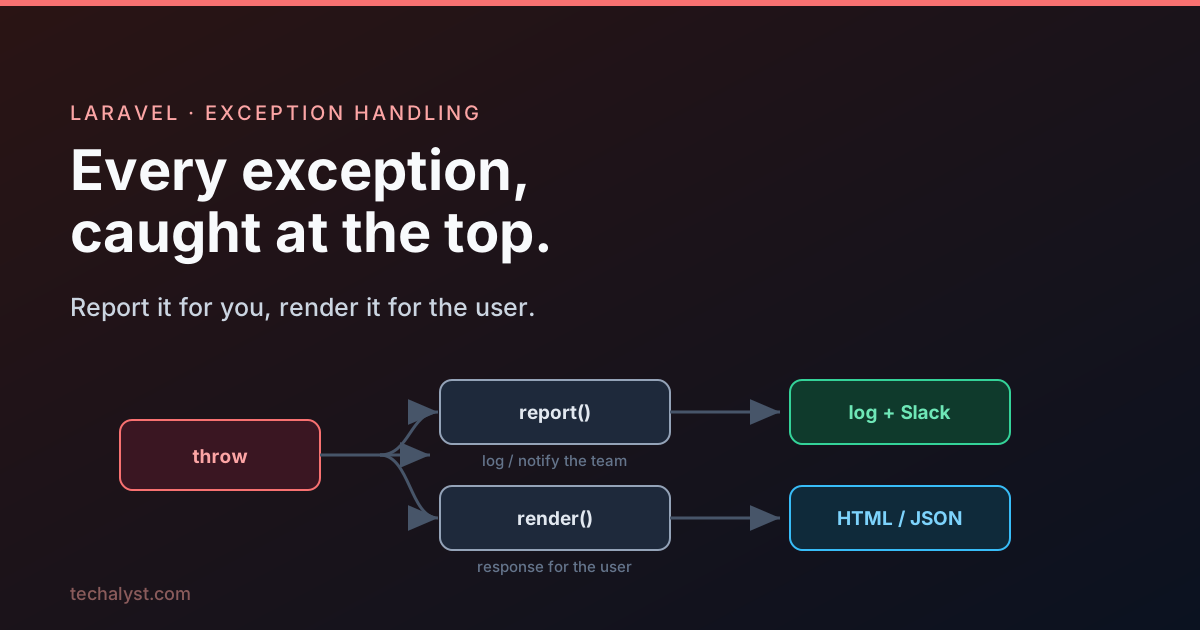
Every Laravel application sits inside a big try and catch that you never wrote. When a request comes in and your code throws an exception that nothing else catches, the framework catches it at the very top, and then does two distinct things with it. Understanding those two things, and where they are configured, is the whole foundation of error handling in Laravel.
The two jobs: report and render
When an unhandled exception bubbles all the way up, Laravel performs two separate tasks, in this order.
- Report the exception. This is the side that records what went wrong: writing to the log, and optionally pinging Slack, Sentry, or wherever else you send errors. The user never sees this.
- Render the exception. This is the side that turns the exception into a response the user actually receives: an HTML error page, or a JSON error body for an API.
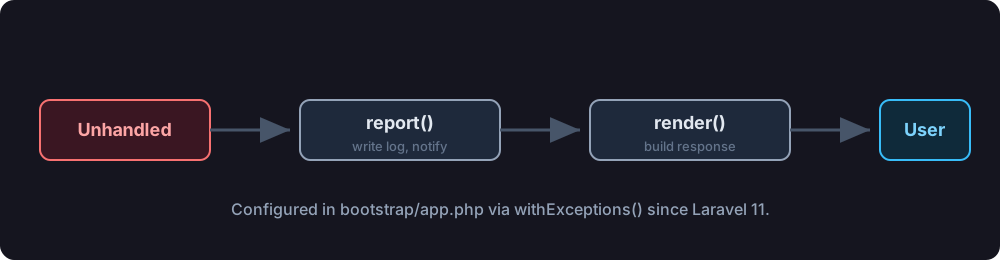
Conceptually, the framework's request handling looks like this.
try {
    $response = $this->handleTheRequest($request);
} catch (Throwable $e) {
    $this->report($e);                     // log it / notify
    $response = $this->render($request, $e); // turn it into a response
}

return $response;
Reporting and rendering are deliberately kept apart, because they answer different questions. Reporting answers "what do we, the team, need to know". Rendering answers "what does the user see". You will almost always want to customise them independently, which is why they have separate hooks.
Where this is configured now
This is the part that trips people coming from older code. Up to Laravel 10, all of this lived in app/Exceptions/Handler.php, with report() and render() methods you would override, and the HTTP and Console Kernels wrapped everything. Laravel 11 deleted that file and both Kernels. The exact same behaviour is now wired up in bootstrap/app.php.
// bootstrap/app.php
use Illuminate\Foundation\Configuration\Exceptions;

return Application::configure(basePath: dirname(__DIR__))
    // ->withRouting(...)
    // ->withMiddleware(...)
    ->withExceptions(function (Exceptions $exceptions) {
        // All your reporting and rendering customisation goes here.
    })
    ->create();
Everything in the two follow up posts, ignoring certain exceptions, custom log channels, custom JSON responses, hangs off that withExceptions closure. If you ever see a tutorial editing App\Exceptions\Handler, mentally translate it to this closure and you will be fine.
It is not always report and render
A couple of places in the framework handle exceptions differently on purpose, and knowing about them saves a lot of confusion.
Queue workers report but do not render. A worker is a long running process pulling jobs in a loop. If an exception while running a job were allowed to bubble up and render, it would crash the worker and stop every other job. So the worker catches the exception, reports it, and keeps going.
try {
    // fetch and run the next job
} catch (Throwable $e) {
    $this->exceptions->report($e); // report only, the worker survives
}
This is why a failing job shows up in your logs but never produces an HTML error page. There is no browser on the other end, and the worker has to stay alive.
After middleware still runs. When an exception is thrown inside your routes or middleware, Laravel reports it and converts it to a response inside the middleware pipeline, before it reaches that top level catch. That ordering matters if you have an "after" middleware, one that does its work on the way back out.
class LogTraffic
{
    public function handle(Request $request, Closure $next): Response
    {
        $response = $next($request);

        // Runs even if the controller threw, because the exception
        // was already turned into a response before reaching here.
        Log::channel('traffic')->info('Responded', ['status' => $response->status()]);

        return $response;
    }
}
Because the exception was already converted to a response, your logging middleware still sees a real response object and runs normally. If you need to know whether that response came from an exception, it is hanging right there on the response.
if ($response->exception) {
    // this response was produced from a thrown exception
}
The last line of defence
What about errors that escape even the request lifecycle, a fatal error during bootstrap, for instance. Laravel sets PHP up early so nothing slips through silently. During startup it turns on full error reporting and registers its own handlers for errors, exceptions, and shutdown.
error_reporting(-1);
set_error_handler([$this, 'handleError']);
set_exception_handler([$this, 'handleException']);
register_shutdown_function([$this, 'handleShutdown']);
Inside those handlers Laravel does the same two things: it formats the problem, reports it, and renders something presentable instead of a blank white page. So whether an exception is thrown deep in your controller or PHP dies during shutdown, it funnels back into report and render.
Where to go next
That is the shape of it. Laravel catches unhandled exceptions, reports them so you know what happened, and renders them so the user gets a sensible response, all configured today through withExceptions() in bootstrap/app.php. The two sides each deserve their own look:
- Reporting Exceptions in Laravel: logging, channels, and choosing which exceptions you care about.
- Rendering Exceptions in Laravel: turning exceptions into HTML and JSON responses, and custom error pages.
Questions about how Laravel handles a particular exception? Drop them in the comments.


All comments ()
No comments yet
Be the first to leave a comment on this post.