

 Laravel

Updated June 2026. Tested on Laravel 13 and PHP 8.4. Scheduling lives in
routes/console.phpvia theSchedulefacade since Laravel 11. Part of the Techalyst scheduling series, starting with Task Scheduling in Laravel.
A scheduled task can take longer than the gap between its runs. Picture a report that runs every minute. Early on it finishes in seconds, but as the data grows it starts taking more than a minute, so a second copy kicks off while the first is still going. Now two instances are fighting over the same work. Usually harmless, sometimes a real problem: corrupted data, doubled side effects, or a server buried under duplicate load. Laravel has a one-method fix.
withoutOverlapping
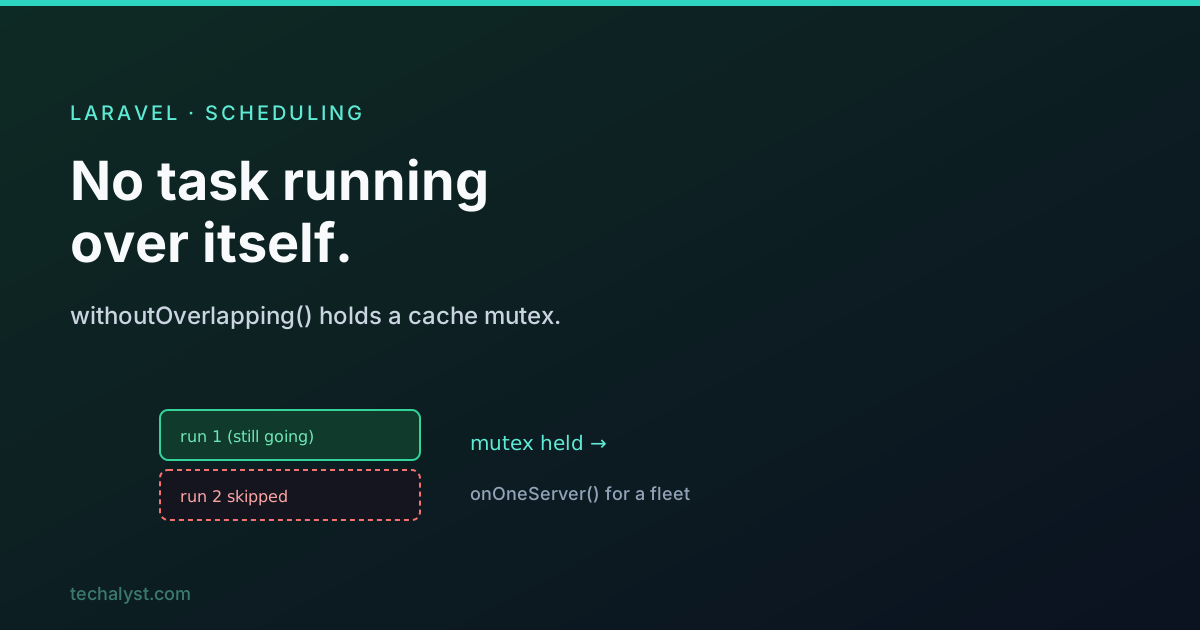
Add withoutOverlapping() and Laravel will skip a run if the previous one is still going.
use Illuminate\Support\Facades\Schedule;

Schedule::command('reports:generate')->everyMinute()->withoutOverlapping();
Now if the report is still running when the next minute ticks, that next run is simply skipped, and Laravel tries again the minute after. The first run is left alone to finish.
How it works: a mutex
Under the hood this uses a mutex, a lock that only one instance can hold at a time. Think of it like a "talking stick": only the task holding the stick may run, and everyone else has to wait until it is handed back. When a task starts, Laravel tries to create the mutex; if it already exists, another instance is running, so this one is skipped.
Conceptually withoutOverlapping wires up two things: a filter that skips the task while the mutex exists, and an after-callback that clears the mutex once the task finishes.
// roughly what withoutOverlapping does internally
$this->then(fn () => $this->mutex->forget($this))   // clear lock when done
     ->skip(fn () => $this->mutex->exists($this));    // skip while lock held
And right before running, Laravel double-checks: if overlap protection is on and it cannot create the mutex, it returns without running.
The cache mutex and its expiry
By default the lock lives in your cache, keyed by the task's mutex name. It is just three operations: create the key, check it exists, forget it.
// the default cache-based mutex, conceptually
$cache->add($event->mutexName(), true, $expiresInMinutes);
$cache->has($event->mutexName());
$cache->forget($event->mutexName());
This raises an important safety question: what if a task crashes hard and never clears its lock? To stop a task being locked out forever, the mutex has an expiry. You set how long the lock may live, so a stuck lock self-heals.
Schedule::command('reports:generate')
    ->everyMinute()
    ->withoutOverlapping(10); // lock expires after 10 minutes at most
Pick an expiry comfortably longer than the task's worst-case runtime, so a still-running task is never unlocked early, but a dead one does not block forever.
Multiple servers: onOneServer
withoutOverlapping stops a task overlapping itself on one server. If you run the scheduler on several servers (common for high availability), each server would otherwise run the task. To make a task run on only one server per due time, use onOneServer.
Schedule::command('reports:generate')->daily()->onOneServer();
This needs a shared, central cache that all servers see (Redis, Memcached, or the database cache), because that is where the coordinating lock lives. With a per-server cache like file, the servers cannot see each other's locks and the protection breaks. Reach for onOneServer whenever a task must run exactly once across a fleet, and withoutOverlapping whenever it must not run twice at once on the same machine. You often want both.
Wrapping up
When a task can run longer than its interval, withoutOverlapping() stops a second copy starting before the first finishes, using a cache-based mutex that is created on start and cleared on completion, with an expiry so a crashed task cannot lock itself out forever. On a multi-server setup, add onOneServer() (backed by a shared cache) so the task runs on just one server per slot. Together they keep scheduled work from stepping on itself.
More in the series: building and running a scheduled task and the properties of a scheduled task. Questions welcome below.


All comments ()
No comments yet
Be the first to leave a comment on this post.