

 Laravel

Updated June 2026. Tested on Laravel 13 and PHP 8.4. Part of the Techalyst notifications series. Start with How Laravel's Notification System Works for the sending flow.
When a notification is sent, each channel listed in via() has to be turned into a real object that knows how to deliver the message, and the message has to be routed to the right destination (an email address, a phone number, a database relation). Here is how Laravel resolves channels and routes deliveries.
Resolving a channel from its name
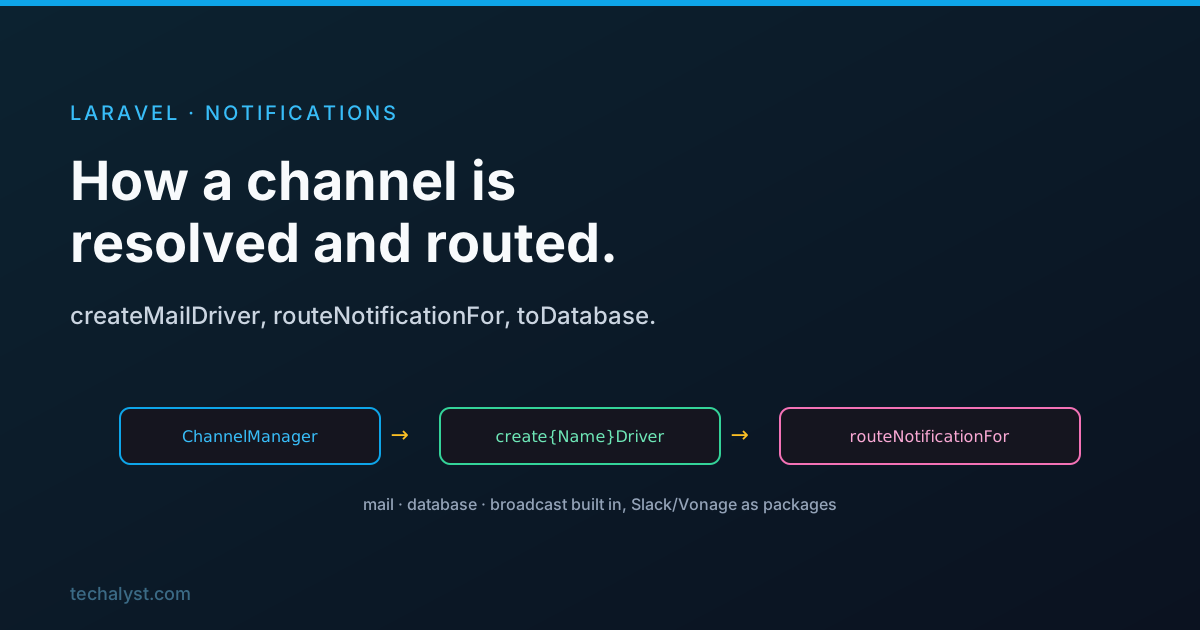
The ChannelManager is a factory built on Laravel's Manager base class. Given a channel name, it looks for a matching create{Name}Driver method and caches the result so each channel is built once.
// roughly, for the "mail" channel it calls:
$method = 'create'.Str::studly($name).'Driver'; // createMailDriver()
The channels included in the framework are:
- database
- broadcast
Other first-party channels, like Slack and Vonage (the SMS channel formerly called Nexmo), now live in their own packages you install when you need them, but they plug into this same mechanism.
Custom channels
To use your own channel, you list its class name in via(). When the manager fails to find a built-in driver for that name, it assumes it is a class and resolves it from the container.
// roughly what the manager does
try {
    return parent::createDriver($name);
} catch (InvalidArgumentException $e) {
    if (class_exists($name)) {
        return $this->app->make($name);
    }
    throw $e;
}
A custom channel is just a class with a send method.
class SmsChannel
{
    public function send(object $notifiable, Notification $notification): void
    {
        $message = $notification->toSms($notifiable);
        // hand $message to your SMS provider
    }
}
public function via(object $notifiable): array
{
    return [SmsChannel::class];
}
Routing: where does a notification go?
Each channel needs to know the destination for a given notifiable. That is routeNotificationFor(), which comes from the Notifiable trait your User model uses. It first looks for a routeNotificationFor{Channel} method on the notifiable, and otherwise falls back to sensible defaults.
public function routeNotificationFor($driver)
{
    if (method_exists($this, $method = 'routeNotificationFor'.Str::studly($driver))) {
        return $this->{$method}();
    }

    return match ($driver) {
        'database' => $this->notifications(),   // the relationship
        'mail'     => $this->email,             // the email attribute
        'vonage'   => $this->phone_number,      // the phone attribute
    };
}
So for mail it uses the model's email, for the SMS channel the phone_number, and for database the notifications() relationship. Override delivery for any channel by adding the matching method.
public function routeNotificationForMail(): string
{
    return $this->work_email; // send this notifiable's mail somewhere custom
}
The database channel
The database channel writes a row rather than sending anything out. Its send uses the notifications() relation to create a record.
public function send($notifiable, Notification $notification)
{
    return $notifiable->routeNotificationFor('database')->create([
        'id'      => $notification->id,
        'type'    => get_class($notification),
        'data'    => $this->getData($notifiable, $notification),
        'read_at' => null,
    ]);
}
The notifications() relationship is a morphMany to the built-in DatabaseNotification model, provided by the HasDatabaseNotifications trait. The row's data comes from your notification's toDatabase() method (or toArray() as a fallback), stored as JSON.
public function toArray(object $notifiable): array
{
    return ['message' => 'Your invoice is ready', 'invoice_id' => 42];
}
This is what powers in-app notification lists: query $user->unreadNotifications, render them, and call markAsRead().
The broadcast channel
The broadcast channel pushes the notification over WebSockets so a logged-in user can see it live. It pulls data from toBroadcast() (or toArray()), wraps it in a BroadcastNotificationCreated event, and dispatches it through the event system. Return a BroadcastMessage from toBroadcast() to control how that event is queued.
public function toBroadcast(object $notifiable): BroadcastMessage
{
    return (new BroadcastMessage(['message' => 'New comment']))
        ->onQueue('broadcasts');
}
The mail channel
The mail channel is the most flexible. From toMail() you can return either a full Mailable, in which case the channel just sends it, or a MailMessage, the fluent helper.
public function toMail(object $notifiable): MailMessage
{
    return (new MailMessage)
        ->line('Welcome aboard.')
        ->action('Get started', url('/dashboard'))
        ->line('Glad to have you.');
}
When you use MailMessage, Laravel renders it through a built-in markdown view (notifications::email) that turns your line() and action() calls into a clean HTML and plain-text email, so you get a good-looking message without writing any Blade. Reach for a Mailable only when you need full control over the template.
Wrapping up
A channel name is resolved by the ChannelManager to a create{Name}Driver method, with mail, database and broadcast built into the framework and Slack and Vonage available as packages; an unknown name is treated as a custom channel class and built from the container. Each channel asks the notifiable's routeNotificationFor() where to deliver, falling back to the email, phone_number, or notifications() defaults. The database channel writes a JSON row from toDatabase/toArray, broadcast dispatches an event from toBroadcast, and mail renders a MailMessage (or sends a Mailable) through the notifications markdown view.
Back to How Laravel's Notification System Works for the sending and queueing flow. Questions welcome below.


All comments ()
No comments yet
Be the first to leave a comment on this post.