

 Laravel

Updated June 2026. Tested on Laravel 13 and PHP 8.4. Part of the Techalyst notifications series.
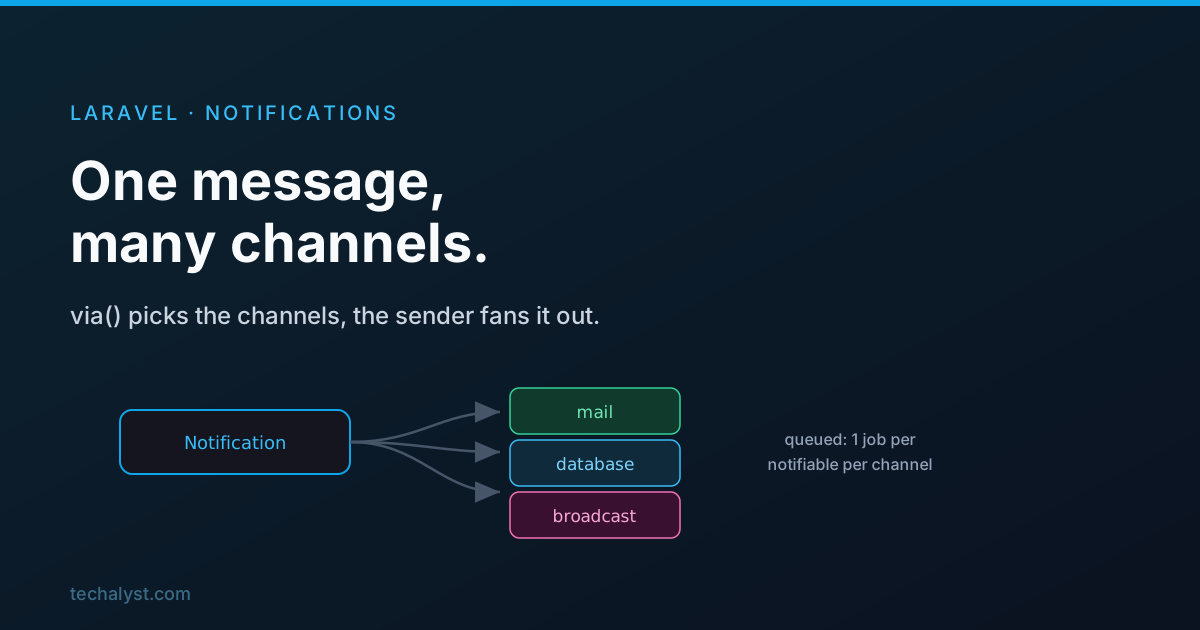
Laravel's notification system makes it easy to send the same message to your users across many channels: email, SMS, a database row, a broadcast, and more. The API is small, but knowing what happens between Notification::send() and the message arriving explains a lot of its behaviour, especially around queueing.
A notification, in one class
A notification is a class that declares which channels to use and how to render itself for each one.
use Illuminate\Notifications\Notification;
use Illuminate\Notifications\Messages\MailMessage;

class PolicyUpdated extends Notification
{
    public function via(object $notifiable): array
    {
        return ['mail', 'database'];
    }

    public function toMail(object $notifiable): MailMessage
    {
        return (new MailMessage)
            ->line('We have updated our privacy policy.')
            ->action('Read it', url('/policy'))
            ->line('Thank you for using our application.');
    }
}
via() lists the channels. For each channel you add a matching method (toMail, toDatabase, toBroadcast, and so on) that builds the message for that channel.
Sending: the Notification facade
You send with the Notification facade, which passes one notifiable or many.
use Illuminate\Support\Facades\Notification;

Notification::send($users, new PolicyUpdated());
Behind the facade is the ChannelManager, which hands the work to a NotificationSender. The sender has three jobs:
- Normalise the notifiables into an iterable collection, so one user or a thousand are handled the same way.
- Decide queue or immediate by checking whether the notification implements
ShouldQueue. - Do the sending (or the queueing).
Sending right away
If the notification is not queued, the manager calls sendNow(), which does three things: makes sure the notification has an id, dispatches it to each channel, and fires two events.
NotificationSendingfires before sending. If any listener returnsfalse, the notification is skipped, which is a clean place for a last-minute check (for example, respecting a user's notification preferences).NotificationSentfires after each channel sends, ideal for logging.
To actually send, the sender builds each channel instance and calls send() on it. A useful detail: sendNow() takes an optional third argument, a list of channels that overrides the notification's own via(). You can also call sendNow() directly to force an immediate send even if the notification implements ShouldQueue.
Notification::sendNow($users, new PolicyUpdated(), ['slack', 'mail']);
Queueing: one job per notifiable per channel
Make a notification queueable by implementing ShouldQueue, and the sending happens on the queue. The interesting part is how Laravel splits the work.
The naive approach would be a single job that sends every notification to everyone. But then one failure fails the whole job, and retrying it would re-send notifications that already went out. To avoid that, Laravel dispatches one queued job per notifiable, per channel. Notifying 10 users by email and SMS is 20 separate jobs, so a single failure only affects that one user-and-channel, and a retry never double-sends the others.
Each job is an instance of SendQueuedNotifications, holding the notifiable, the notification, and the channel. Laravel also assigns the notification a unique id per notifiable (using ramsey/uuid), which becomes the primary key for the database channel and the id when broadcasting.
Notify 10 users via mail + sms -> 20 SendQueuedNotifications jobs
When a worker runs one of those jobs, it simply calls sendNow() for that single notifiable and channel, the same immediate path as above.
Configuring how it queues
You can control the connection, queue, and delay for a queued notification with public properties.
class PolicyUpdated extends Notification implements ShouldQueue
{
    use Queueable;

    public $connection = 'redis';
    public $queue = 'urgent';
    public $delay = 60;
}
Or fluently at send time, using the Queueable trait's methods.
Notification::send(
    $users,
    (new PolicyUpdated())->onConnection('redis')->onQueue('urgent')->delay(now()->addMinute()),
);
You can even set the queue or connection per channel with viaQueues() and viaConnections(), so the email and SMS legs go to different queues.
Wrapping up
A Laravel notification is a class that declares channels in via() and renders itself per channel. The Notification facade hands off to a sender that normalises the notifiables, decides queue or immediate, and sends, firing NotificationSending (which can cancel) and NotificationSent. Queued notifications become one SendQueuedNotifications job per notifiable per channel, each with its own uuid, so failures and retries stay isolated. Configure the connection, queue, and delay with properties or fluent methods.
Next: how notification channels work in Laravel. Questions welcome below.


All comments ()
No comments yet
Be the first to leave a comment on this post.