

 Vue.js

Updated June 2026. Tested on Vue 3 with
<script setup>. Part of the Techalyst Vue 3 series.
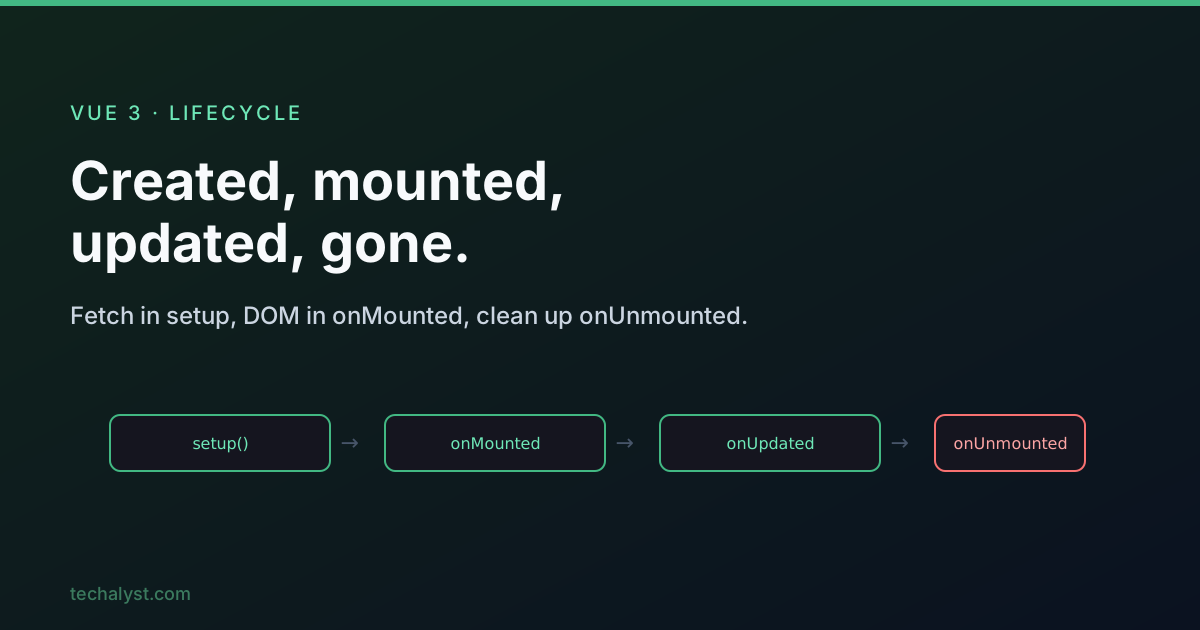
A Vue component goes through a predictable lifecycle: it is created, mounted into the DOM, updated as data changes, and finally unmounted. Lifecycle hooks let you run code at each of those moments, to fetch data, reach into the DOM, or clean up. Here is the map, the Composition API way.
The phases
created -> mounted
              ⇅  (on a reactive change used in the template)
        beforeUpdate -> updated
beforeUnmount -> unmounted
In the Composition API you register hooks inside setup() (or <script setup>) by calling functions like onMounted.
<script setup>
import { onMounted, onUnmounted } from 'vue'

onMounted(() => { /* DOM is ready */ })
onUnmounted(() => { /* component is gone */ })
</script>
Creation: setup() is the creation phase
In the Options API there were beforeCreate and created hooks. In the Composition API you do not need them, because setup() runs in their place, before the instance is even created. So code you would have put in created goes straight in setup.
That includes fetching data. State declared with ref/reactive already exists, so you can kick off a request immediately.
<script setup>
import { ref } from 'vue'
import axios from 'axios'

const items = ref([])

const { data } = await axios.get('/api/items') // or inside an async function
items.value = data
</script>
What you cannot do yet is touch the DOM, there are no elements rendered during setup.
Mounting: onMounted for the DOM
onMounted fires after the template has been rendered into real DOM elements. It is the first place you can read a template ref or initialise a library that needs a real node (a chart, a map, a date picker).
<script setup>
import { ref, onMounted } from 'vue'

const heading = ref(null)

onMounted(() => {
  console.log(heading.value.innerText) // the real <h1> element
})
</script>

<template>
  <h1 ref="heading">Hello</h1>
</template>
A template ref is just a ref whose name matches the ref="..." attribute; it is null until the component mounts.
Updates track the view, not the data
onBeforeUpdate and onUpdated fire when something used in the template changes and Vue re-renders. The key word is view: a reactive value that is not rendered anywhere will not trigger these hooks when it changes.
update = re-rendering the view, not just changing data
If you need to react to a value regardless of whether it is on screen, that is a job for a watcher, not an update hook. onBeforeUpdate runs while the DOM still shows the old values; onUpdated runs once the DOM reflects the new ones.
nextTick: wait for the DOM to catch up
When you change a reactive value, the DOM updates asynchronously, so reading it on the very next line gives you the old value. nextTick defers your code until after the DOM has updated.
import { nextTick } from 'vue'

title.value = 'New title'
await nextTick()
console.log(heading.value.innerText) // 'New title', DOM is up to date
The order is always beforeUpdate -> updated -> nextTick callback.
Unmounting: clean up after yourself
onBeforeUnmount fires while the component is still fully mounted and working; onUnmounted fires after it is gone. This is where you undo anything that would otherwise leak: timers, event listeners, subscriptions, sockets.
<script setup>
import { onMounted, onUnmounted } from 'vue'

let id
onMounted(() => { id = setInterval(tick, 1000) })
onUnmounted(() => { clearInterval(id) }) // stop the timer when the component leaves
</script>
Forgetting this is a common source of memory leaks in SPAs, every mounted component that sets a timer or listener must tear it down.
Parent and child order
When components nest, hooks interleave in a way worth knowing. On mount, a parent starts mounting first but finishes after its children: the child's onMounted runs before the parent's. On unmount it is the same shape, the parent begins unmounting, the children unmount, then the parent finishes. So by the time a parent is mounted, you can trust its children are mounted too.
The full Composition API set
Beyond the core hooks, Vue offers a few more: onErrorCaptured (catch errors from descendants), onActivated/onDeactivated (for components kept alive, see dynamic components), and the debug hooks onRenderTracked/onRenderTriggered. The everyday three, though, are onMounted for DOM setup, onUpdated for post-render work, and onUnmounted for cleanup.
Wrapping up
setup() is the creation phase, so fetch data there and skip the old create hooks. Use onMounted for anything that needs the rendered DOM, remember update hooks fire only for values actually shown in the template, reach for nextTick when you need the DOM to catch up after a change, and always undo timers and listeners in onUnmounted. Keep the parent-after-children ordering in mind and the lifecycle stops surprising you.
More in the series: the setup function and watchers. Questions welcome below.


All comments ()
No comments yet
Be the first to leave a comment on this post.