

 Laravel

Updated June 2026. Tested on Laravel 13 and PHP 8.4. Part of the Techalyst queue series.
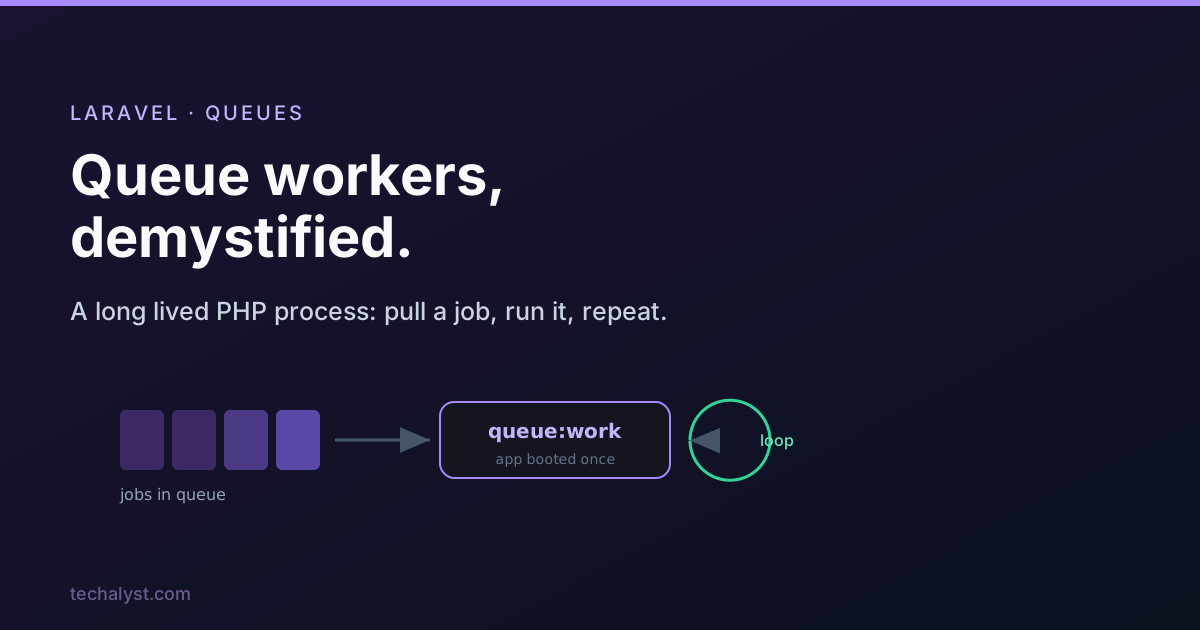
A queue worker sounds mysterious until you see what it actually is: a plain PHP process running in the background, pulling jobs out of storage and running them. That storage might be MySQL, Redis, or Amazon SQS, but the worker does not much care. Understanding how the worker runs your jobs explains nearly every queue gotcha you will ever hit.
queue:work boots your app once
You start a worker with one command.
php artisan queue:work
This boots a single instance of your application and then stays alive indefinitely, processing job after job on that same instance. That one fact has two big consequences.
- It is fast and light on resources, because your app is booted once, not once per job.
- It does not see your code changes. Because the booted app stays in memory, any deploy or edit you make is invisible to a running worker until you restart it.
That second point is the source of the classic "I deployed but the queue is still running the old code" confusion. More on the fix below.
queue:work vs queue:listen
There is an older command that behaves differently.
php artisan queue:listen
queue:listen boots a fresh application instance for every single job. That means it always runs your latest code without a restart, but it pays the full bootstrap cost on every job, which is far heavier. In practice you almost always want queue:work in production (it is what Horizon and Supervisor run) and you reach for queue:listen only in rare local situations. There is also a one shot mode that processes a single job and exits.
php artisan queue:work --once
The daemon loop and signals
When you run queue:work without --once, the worker enters its daemon loop: fetch a job, run it, repeat, sleeping briefly when the queue is empty. To shut down cleanly, the worker listens for operating system signals using PHP's pcntl extension.
SIGTERMtells the worker to finish the current job and quit. This is how a graceful stop works, the worker does not die mid job.SIGUSR2pauses processing.SIGCONTresumes a paused worker.
This is why you should stop workers with a proper signal rather than killing them outright: a clean SIGTERM lets the in flight job complete instead of leaving it half done.
The worker options that matter
queue:work takes a handful of options that shape its behaviour. The ones you will actually use:
php artisan queue:work redis \
    --queue=high,default \   # which queues, in priority order
    --tries=3 \              # attempts before a job is marked failed
    --backoff=10 \           # seconds to wait before retrying
    --timeout=60 \           # kill a job that runs longer than this
    --memory=128 \           # restart the worker if it passes this MB
    --sleep=3 \              # seconds to sleep when no job is available
    --max-jobs=1000 \        # restart the worker after this many jobs
    --max-time=3600          # restart the worker after this many seconds
A worker picks jobs from a connection (default comes from queue.default) and from one or more queues (default from the connection config). Listing queues in order, like --queue=high,default, gives you priority: the worker drains high before touching default.
The --memory, --max-jobs and --max-time options exist because a long lived PHP process slowly accumulates memory. Rather than fight every leak, you let the worker restart itself periodically, and a process manager brings it straight back up. We cover that in depth in the memory posts of this series.
Failed jobs
When a job throws and runs out of attempts, the worker marks it failed. With the database failed job provider configured, the worker records the connection, queue, payload, exception, and timestamp into the failed_jobs table, so nothing is silently lost and you can inspect or retry it later.
php artisan queue:failed       # list failed jobs
php artisan queue:retry all    # push them back onto the queue
The worker also fires events as it goes, JobProcessing, JobProcessed, and JobFailed, which is how the console output and tools like Horizon report what is happening in real time.
The deploy rule you cannot skip
Because queue:work holds your app in memory, a deploy does not reach your workers until they restart. The framework gives you a clean way to do this.
php artisan queue:restart
This does not kill workers instantly. It signals every running worker to finish its current job and then exit gracefully, after which your process manager (Supervisor, systemd, or Horizon) starts a fresh worker on the new code. Put php artisan queue:restart in your deploy script, right after you pull new code, and the old code problem disappears.
Wrapping up
A worker is just a long running PHP process running a loop: pull a job, run it, repeat. queue:work boots your app once for speed, listens for signals so it can stop cleanly, and uses options like --tries, --timeout and --max-jobs to stay healthy. The one rule you must internalise is to run php artisan queue:restart on every deploy, because a worker keeps running the code it booted with.
Next in the series: how Laravel prepares a job for the queue, and the queue configuration keys explained. Questions welcome below.


All comments ()
No comments yet
Be the first to leave a comment on this post.